Guild master and officer guide
How to run your guild's private space on ONN: letting people in, invite links, picking officers, posting plans, events, polls and guild master elections.
1What your guild gets
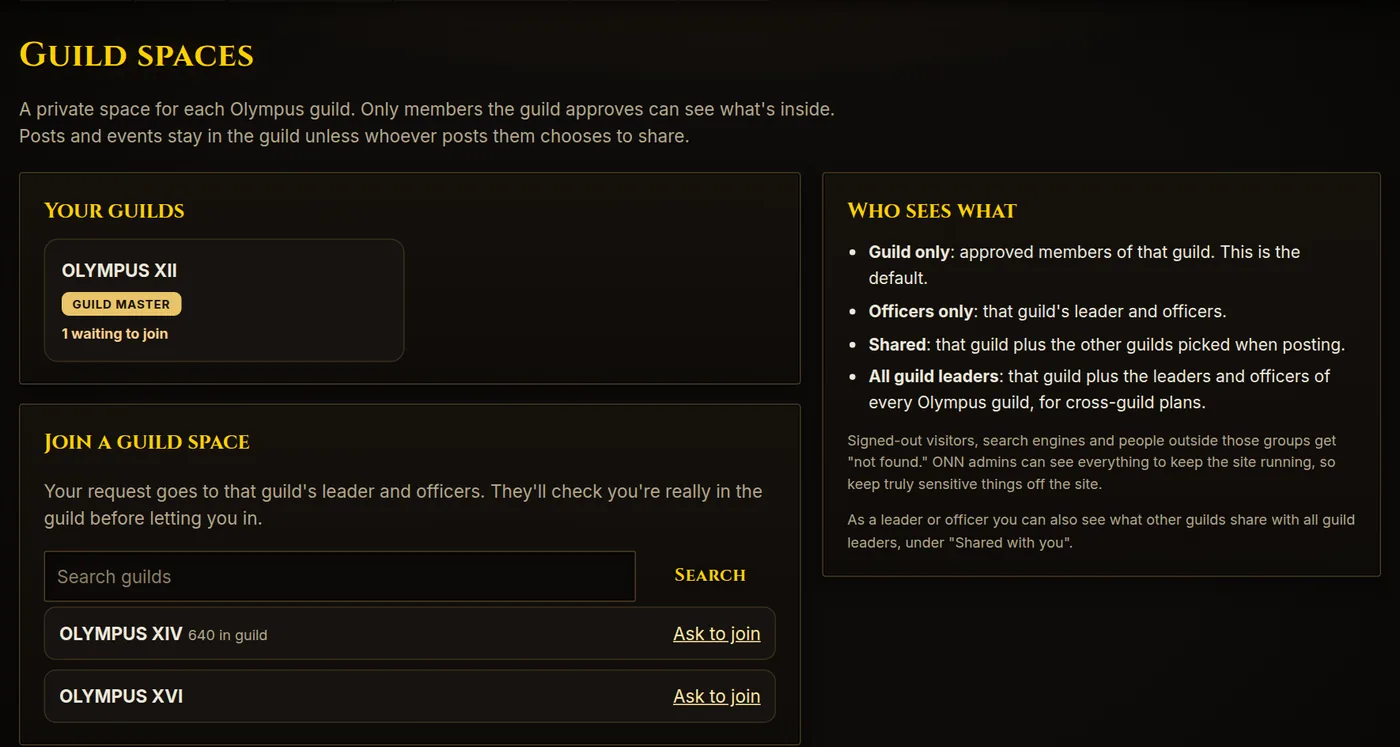
Every Olympus guild has a private Guild Space on ONN, a place to organize away from the public site. Only people you approve can see inside; signed-out visitors and search engines just get "not found".
- Board: announcements, plans and discussion, with replies, pinned posts and "needs a decision" flags.
- Events: runs, raids and meetups with Going / Maybe / Can't sign-ups. Everyone sees times in their own timezone.
- Polls: quick votes for your guild, and optional guild master elections.
- Members: approve who gets in, make invite links, pick your officers.
- Guild status: live numbers from the Olympus addon census: size, who's online, levels and leadership activity.
- Guild chat and voice: your guild's own channel in Chat, with voice calls.
2Getting set up
- Go to olympusnewsnetwork.com and click Sign in at the top right. Sign in or create an account with Archway ID.
- Pick your display name, then fill in your profile: your characters (mark your main and set their guild), your timezone and when you usually play. See How to use ONN for the details.
- Guild masters: send an ONN admin your display name and your guild's name, and they'll make you guild master of its space. If your guild already has officers on ONN but no guild master, an officer can make you guild master (see Roles).
- Officers: ask your guild master to make you an officer. You need to have signed in to ONN once first.
- Open Guild Spaces in the top menu. Your guild shows under Your guilds with your role badge.
3Roles and what they can do
| Role | What they can do |
|---|---|
| Guild master | Everything officers can do, plus add and remove officers, change anyone's role, turn guild master voting on or off, and confirm an election result. |
| Interim guild master | When a guild has no guild master on ONN, its officers act as interim guild masters: they can approve people, manage members, add officers and make someone guild master. Once there is a guild master, officers go back to normal. |
| Officer | Approve or decline join requests, add or remove members, make invite links, see officer-only posts and events, start polls and elections, close or delete polls, and manage your guild's guild-only raids. Officers also see what other guilds share with all guild leaders. |
| Member | Read and reply to posts, sign up for events, make their own posts, vote in polls and run for guild master when an election is open. |
| Waiting | Asked to join but not approved yet. Sees nothing inside. |
Handing the guild over? Ask an ONN admin to set the new guild master, or let the guild elect one (see Guild master elections). When an election result is confirmed, the old guild master becomes an officer.
4Letting people in
People can ask to join in three ways:
- From Guild Spaces, with Ask to join.
- Automatically when they add a character in your guild to their ONN profile.
- With an invite link set to "Require approval".
Requests show on the Members tab under Waiting to join, with the character they say they are, any note they left and the characters on their ONN profile (with a verified mark once Olympus HR has checked them in game). The tab label and your guild card show how many are waiting.
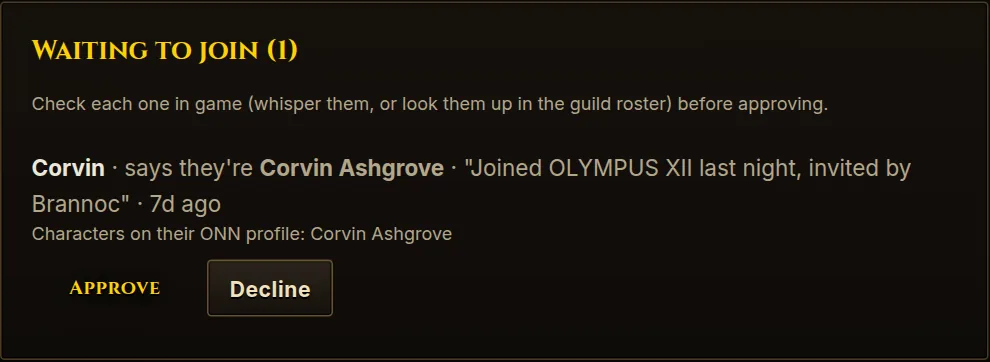
Always check in game before approving. Whisper the character or look them up in your guild roster. ONN can't prove someone owns a character until Blizzard adds WoW: Forever to its API. If it doesn't add up, decline.
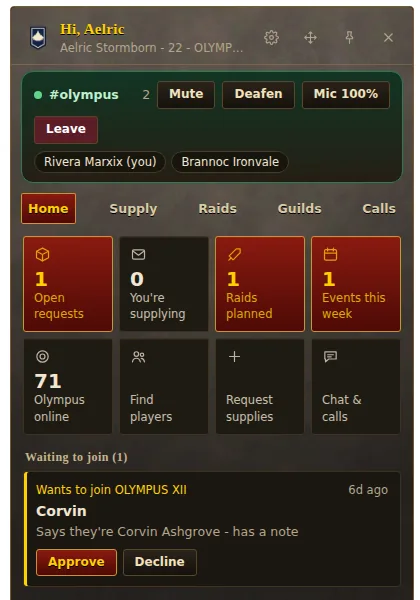
Officers can approve requests too, so you don't have to be online for every one. If you use the ONN Companion desktop app, waiting requests also show in its panel, where you can approve or decline without leaving the game.
5Invite links
Invite links let you bring people in straight from Discord or in-game chat. Officers and the guild master make them at the bottom of the Members tab.
- Give the link a name if you like (for example "Discord" or "New recruits"), and pick when it expires and how many people can use it.
- Tick Require approval if people who use it should land in Waiting to join for you to check. Leave it unticked to let them in as members straight away.
- Press Create invite link, then Copy and share it.
Each link shows how many times it's been used and when it expires. You can switch it between "Joins straight away" and "Needs approval" at any time, and Revoke it to turn it off.
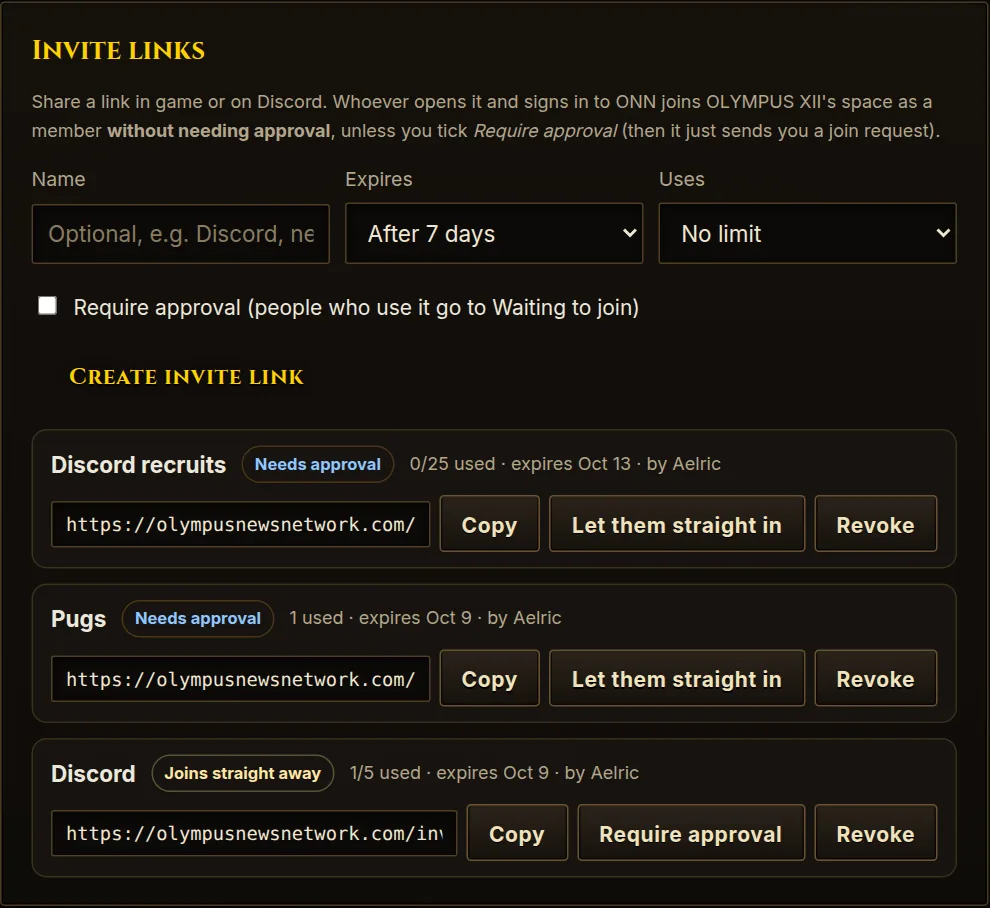
Links that let people straight in skip your in-game check. Use them for places you trust (your guild's own Discord), keep the number of uses low, and revoke them when you're done.
6Officers and roles
Making someone an officer
- Open the Members tab of your guild space.
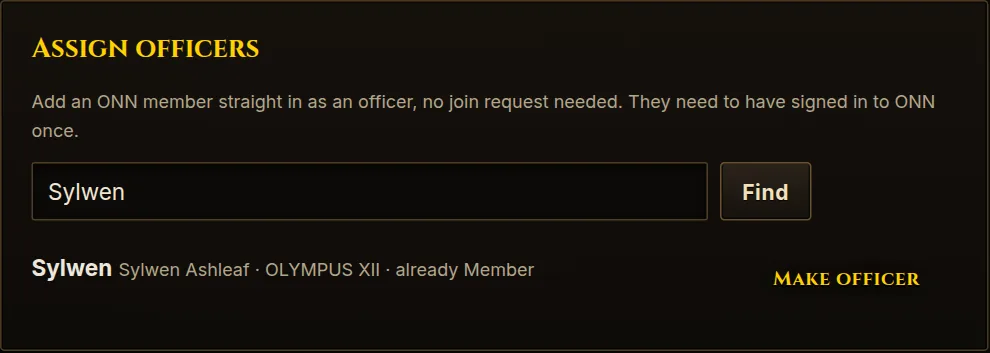
- Under Assign officers, search for their ONN display name or character name and press Find.
- Press Make officer, or Add as member to just let them in. No join request is needed. They must have signed in to ONN at least once to show up.
Changing or removing someone
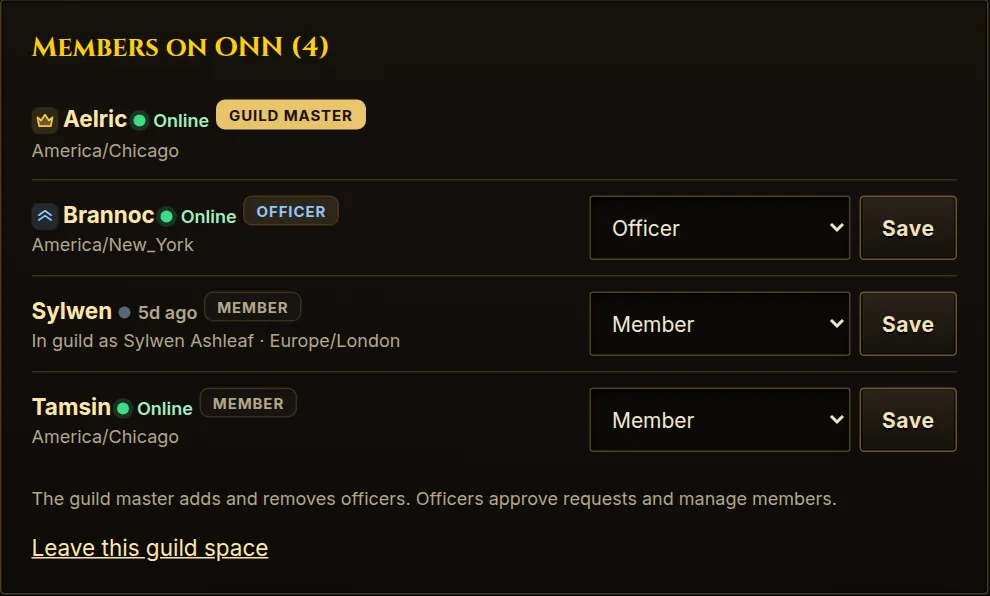
In the Members on ONN list, use the menu next to a person's name and press Save. Pick Remove from space to take someone out. Officers can manage members; only the guild master (or interim guild masters) can change officers.
7Posting on the board
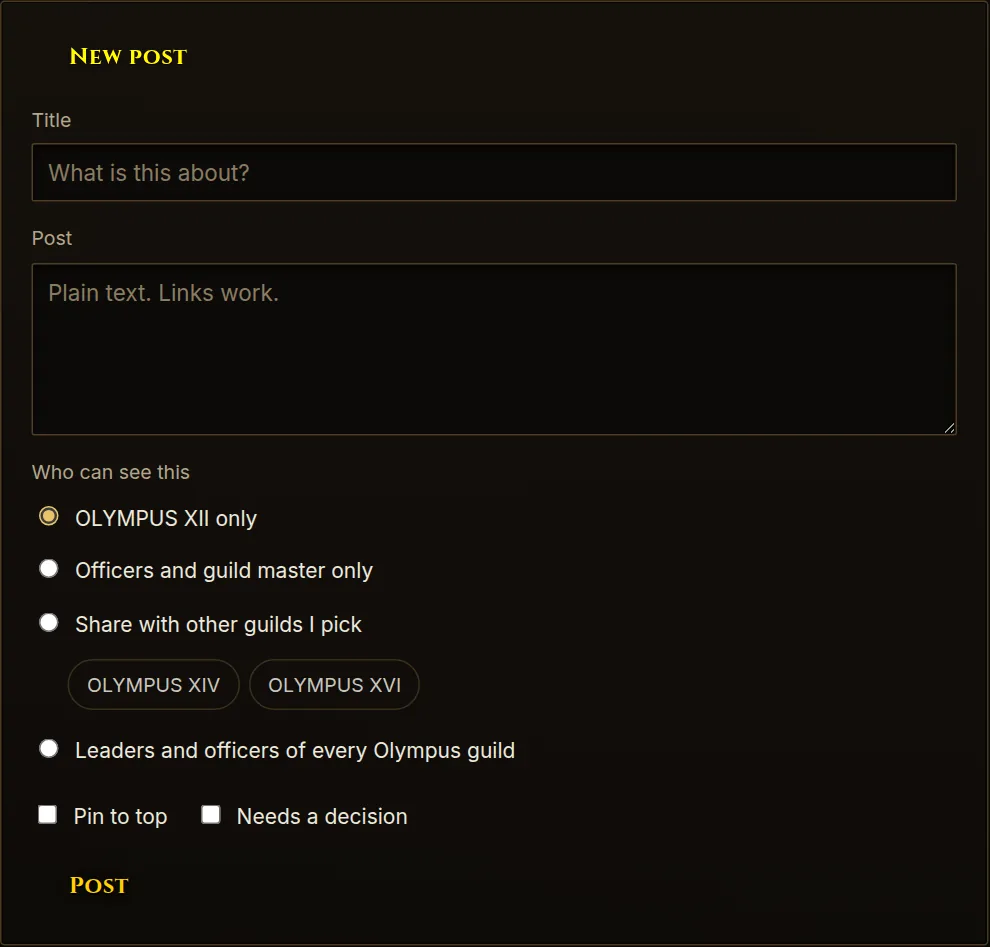
Open the Board tab and press New post. Choose who can see it before you post:
| Who can see it | Who that is |
|---|---|
| Your guild only | Approved members of your guild. The default. |
| Officers and guild master only | You and your officers. |
| Share with other guilds I pick | Your guild plus the other Olympus guilds you tick. |
| Leaders and officers of every Olympus guild | Your guild plus the guild masters and officers of every Olympus guild. Good for cross-guild plans. |
Tick Pin to top to keep a post above the rest, or Needs a decision so it stands out. Every post shows a label saying who can see it.
Shared with you: when another guild shares a post or event with your guild (or with all guild leaders), it shows under Shared with you on the Guild Spaces page. You can read it and reply; it stays owned by the guild that posted it.
8Events
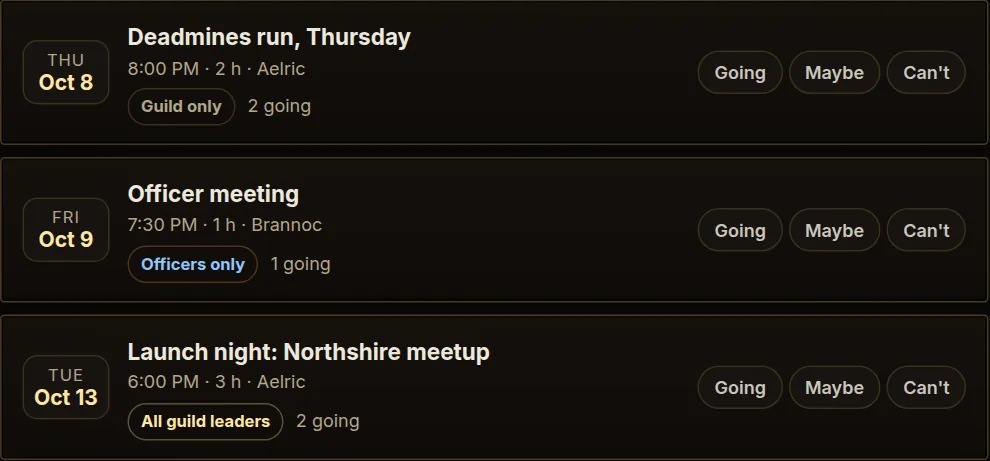
On the Events tab, press Plan an event. Add a title, the start time, how long it runs and any notes (meeting spot, roles needed, loot rules), and pick who can see it, with the same choices as posts. Members press Going, Maybe or Can't, and each event shows how many are going.
Everyone sees event times in their own timezone, so a run set for 8 PM Central shows as 9 PM for someone on Eastern. Upcoming events also show on the side of your board and in the ONN Companion app.
For raids with a roster (tanks, healers, DPS and a bench), use the Raid planner instead. Guild-only raids are visible to your guild, and your officers can help manage them.
9Polls
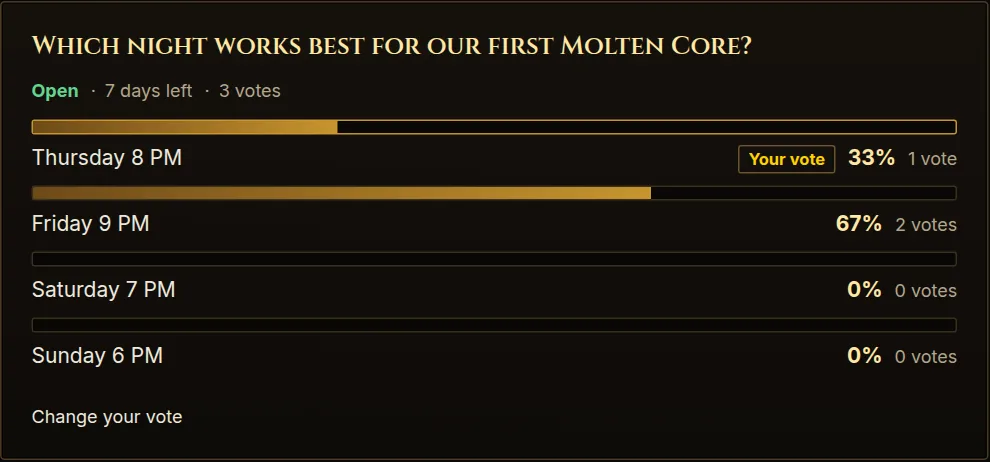
Officers and the guild master can run polls on the Polls tab of your guild space:
- Press New poll, write the question and the choices (one per line, 2 to 10).
- Tick People can pick more than one if it's a multiple-choice poll, and choose how long it stays open (1 to 30 days, or until you close it).
- Press Post the poll. Members of your guild space can vote, one vote per account, and can change or take back their vote while it's open.
Members see the totals once they've voted; officers always see them. Votes are private: only ONN admins can see who voted for what, in case of a dispute. You can Close a poll early or Delete it.
Site-wide polls for all of Olympus are run by ONN admins at Polls.
10Guild master elections
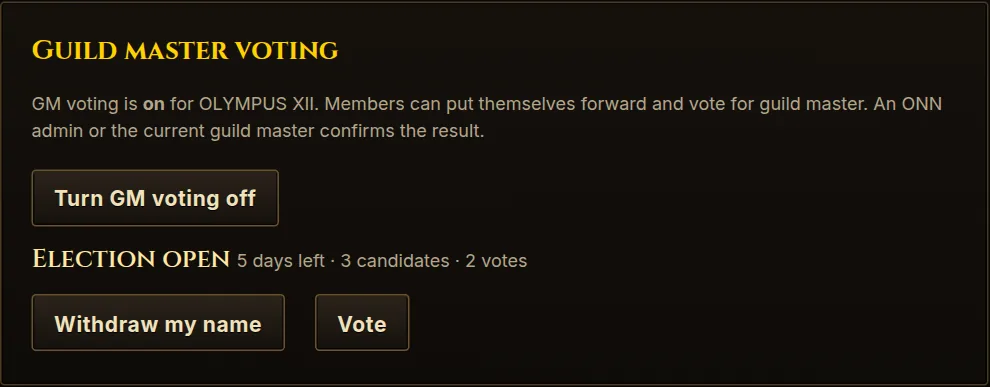
If you want your guild to choose its leader, you can turn on guild master voting. The vote is advisory: when it ends, the current guild master or an ONN admin confirms the winner.
- Turn it on. The guild master (or an ONN admin) presses Turn GM voting on at the top of the Polls tab.
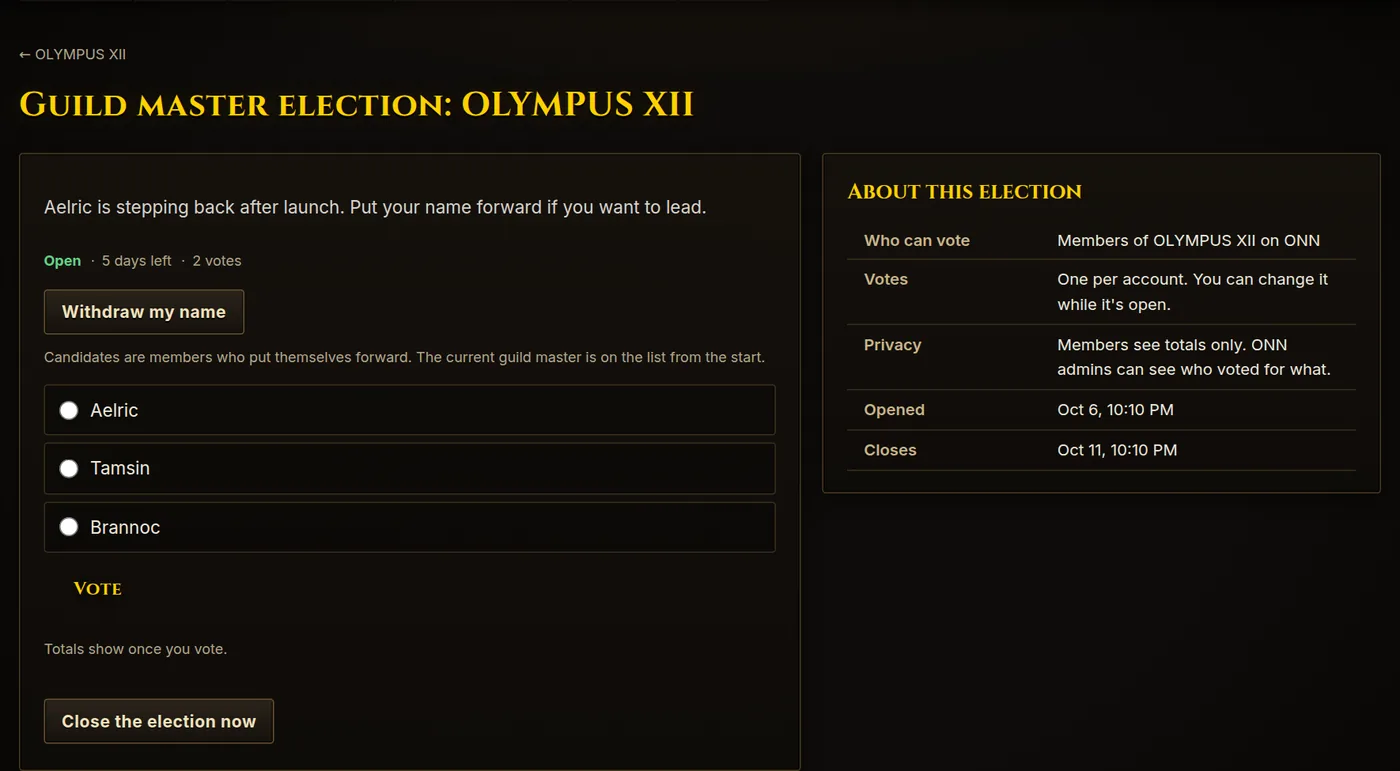
- Start an election. The guild master or an officer picks how long it runs (2 to 14 days), adds an optional note and presses Start a GM election. The current guild master is a candidate from the start.
- Candidates put themselves forward. Any member can press Run for guild master (and Withdraw my name later).
- Members vote, one vote per account. Like polls, members see totals only.
- Confirm the result. When it closes, the current guild master or an ONN admin presses Make [winner] guild master, or Don't apply the result. The old guild master becomes an officer. A tie or an election with no votes changes nothing.
11Guild status
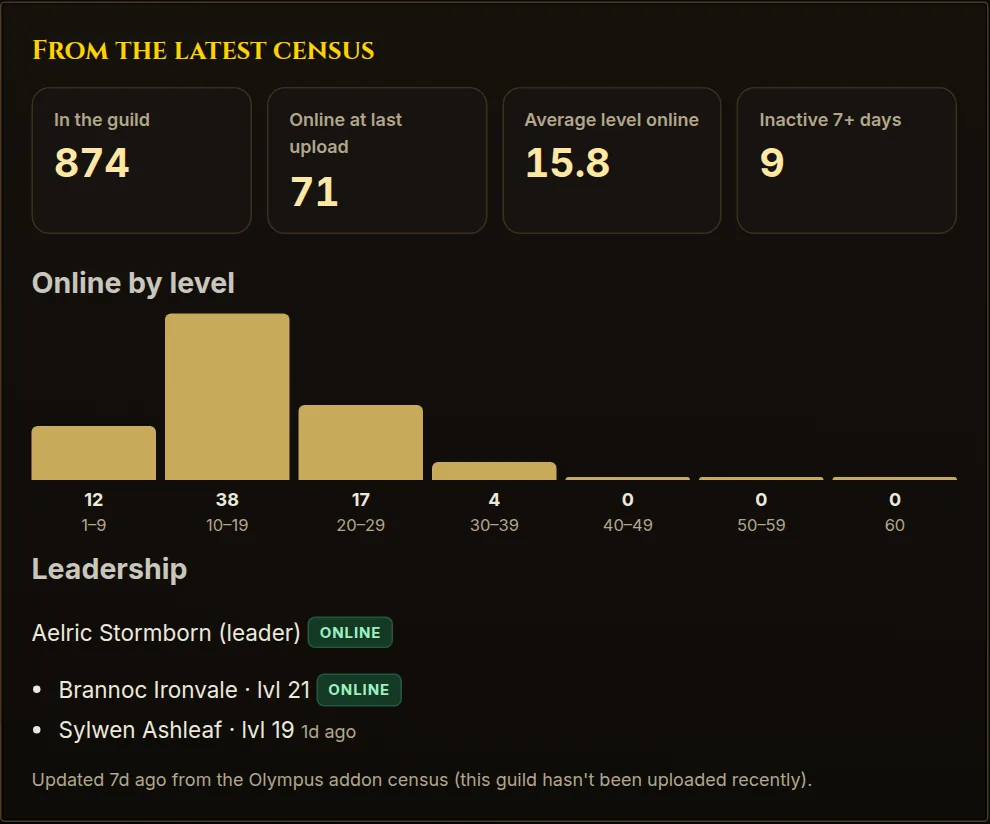
The Guild status tab shows your guild from the latest Olympus addon census: how many are in the guild, who was online at the last upload, the average level online, how many have been inactive for 7+ days, the level spread and when your leader and officers were last seen. If enough members have been inspected, it also shows how many are wearing the guild tabard.
It updates on its own whenever someone in your guild runs ONN Companion with the Olympus Guild addon. If it says "hasn't been uploaded recently", ask an officer to install the app.
12Other tools for leaders
- Guild chat and voice: your guild has its own channel that only approved members can see, alongside #olympus for everyone. Start a voice call from the channel for runs and meetings.
- Raid planner: plan a raid for all of Olympus or just your guild, set the size and level, and fill tanks, healers and DPS. The raid leader confirms the roster.
- Dungeon finder: post or join dungeon groups, optionally for your guild only.
- Supply board: members ask for materials, potions, bags or gear, for all of Olympus or just your guild. Someone claims it, mails it in game, and the requester marks it received.
- Find Players: match people by when they play, level, interests, languages and region. Handy for recruiting people who are on at the same times as your guild.
13Staying safe
- Check people in game before approving them, and before making anyone an officer.
- Keep truly sensitive things off the site. ONN admins can see everything to keep the site running.
- Watch for bad actors. A low-level character that joins, makes a big gold deposit into a guild bank and leaves can get a guild master flagged. Be wary of unexpected deposits from strangers and report them.
- Fake "OLYMPUS" guilds that impersonate Olympus are blacklisted on ONN. They can't get a guild space, and their census data is dropped. If you spot a new one, tell an ONN admin.
- Review your officers and invite links now and then. Remove anyone who has left the guild, and revoke links you no longer use.
Members can block or report others from their profile pages. Reports go to Olympus HR.
14Quick answers
Someone can't find my guild to ask to join.
They need to be signed in. Guild Spaces lists every Olympus guild from the census, so a brand-new guild may only appear after the next census upload. You can also send them an invite link.
I can't find someone under Assign officers.
They have to sign in to ONN once first. Then search for their display name or a character on their profile.
Can officers let people in?
Yes. Officers approve and decline join requests, add and remove members and make invite links. Only the guild master can change officers.
Our guild master left and nobody can manage the space.
If the guild has no guild master on ONN, its officers act as interim guild masters and can make someone guild master. If there are no officers either, ask an ONN admin.
Someone was given the wrong role.
The guild master can fix it from the role menu on the Members tab. A guild's only guild master can't be demoted from there; ask an ONN admin.
Can people outside my guild see our posts?
Only if you choose to share them with other guilds or with all guild leaders when posting. Everything else stays inside your guild.
Who do I contact?
Ask in #olympus or reach an ONN admin in the Olympus Discord.
Something missing or out of date? Tell an ONN admin in #olympus.